Warning
When using this instrument, please do not look directly at the optical interface or the end of the optical
fiber with your eyes, avoid eye damage! Any change or modification not explicitly permitted in this manual
will deprive you of the right to operate the equipment. To reduce the risk of fire or electric shock, do not
expose the equipment to thunderstorm or humid environment. In order to prevent electric shock, do not
open the shell, it must be repaired by the qualified personnel designated by the manufacturer.
Attention
Battery: The battery in the machine is a special lithium-ion polymer battery. The charging voltage is 5V,
and the charging temperature ranges from 0℃~50℃. When the ambient temperature is too high, the
charging will automatically terminate. The instrument battery should be charged every one month to avoid
battery failure due to self-discharge after long time storage. The temperature range of the battery during
long-term storage is -20℃~45℃.
Please use the special AC adapter attached to this instrument and use the external power supply strictly
according to the specifications, otherwise the equipment may be damaged.
Fiber End Face Cleaning: Before testing, clean the end face of the tested optical fiber joint with alcohol
cotton.
LCD screen: The display of this series of instruments is 3.5 inch color LCD. In order to maintain good
viewing effect, please keep the LCD screen clean and clean. When cleaning, the LCD screen can be cleaned
by wiping with soft fabric.
Guarantee description:
The whole machine is guaranteed for 18 months. The battery, charging adapter and optical interface
consumables are guaranteed for 6 months. The warranty date shall be postponed one month from the date of manufacture.
Due to the need of design improvement, the contents are subject to change without notice.
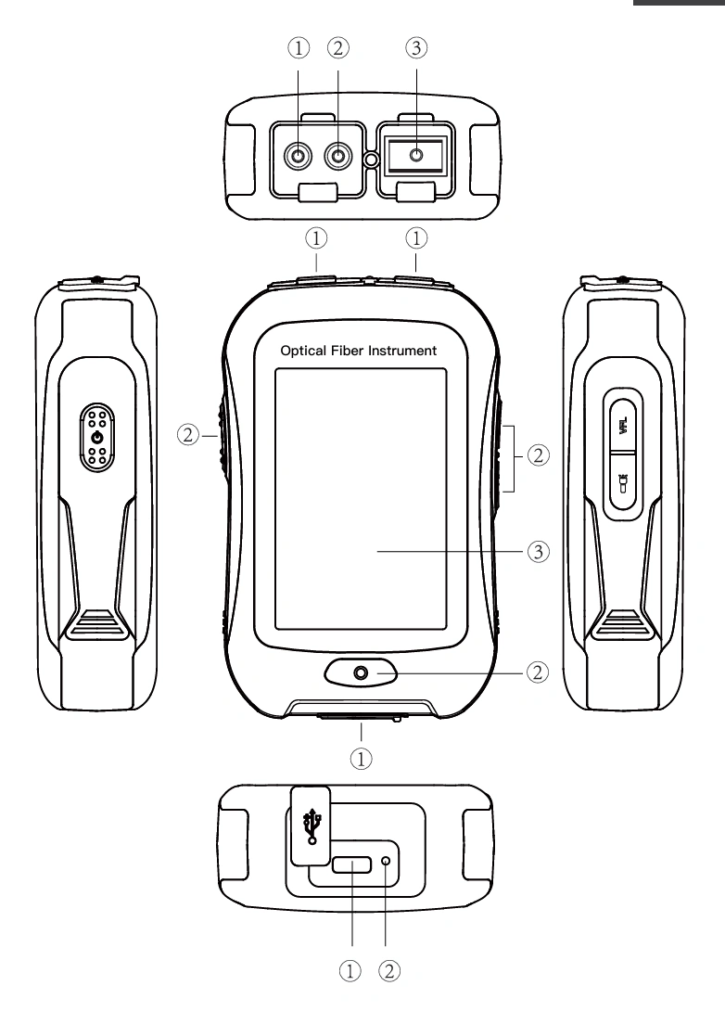
Top view Main view Back view
① OPM port ① Dust Cover ① Type C USB
② VFL port ② Function Keys ② LED Charging indicator
③ OTDR/LS port ③ 3.5 inch Color LCD
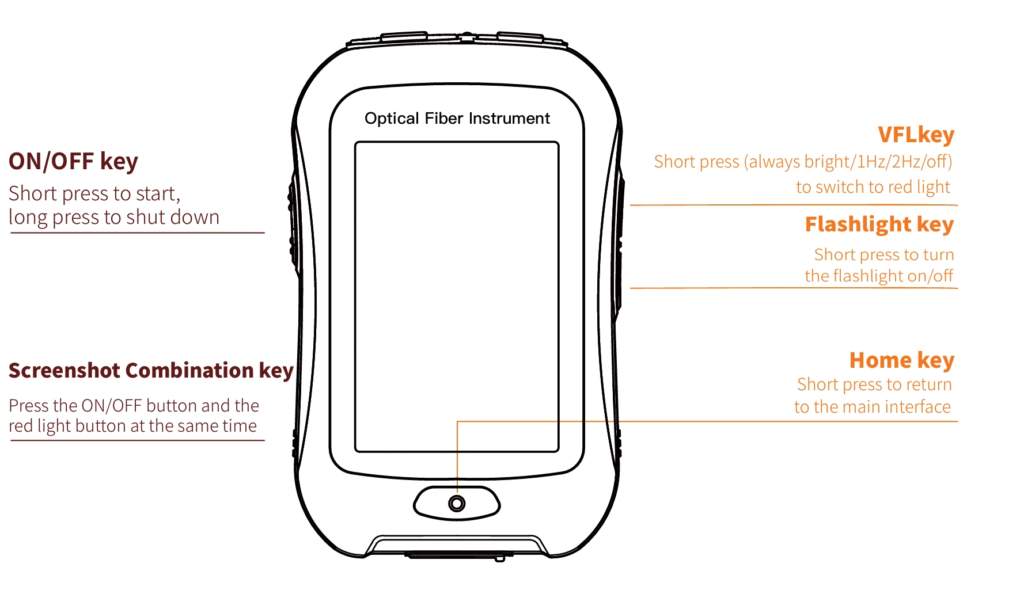
Functional Keys
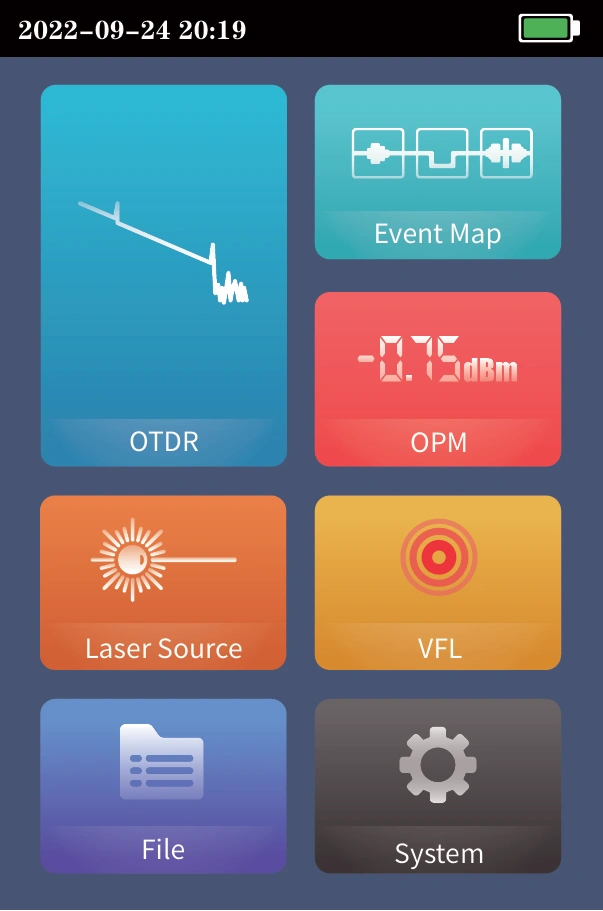
Main Interface
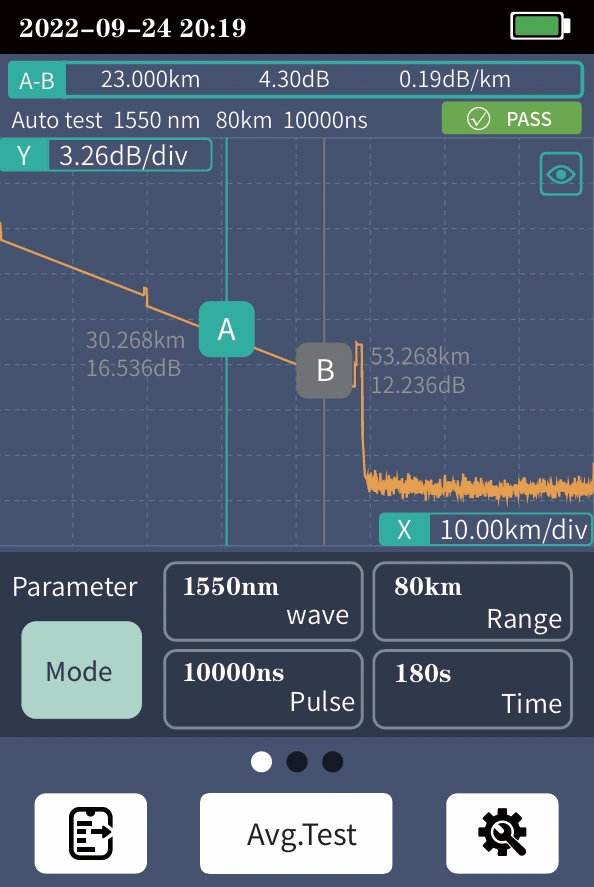
Enter the main menu after power on, there are 7
function modules. Press the function icon to enter the
corresponding function interface
Date &Time

OTDR-Curve
Setting parametes :Select the test wavelength, range,
pulse width and time
Mode switching:Real time test, average test and auto test
mode switching
Wavelength:Select the test wavelength of OTDR
Test range:Usually required to be set about twice the
length of the measured optical fiber
Test pulse width:5ns~10000ns optional, different measuring ranges, different pulse widths are available
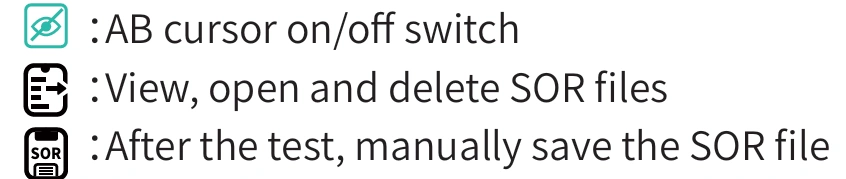
Curve Operation
Curve Zoom, drag:Touch screen gesture operation
Restore initial curve:Double click the screen
Move Cursor:Drag A or B
OTDR List
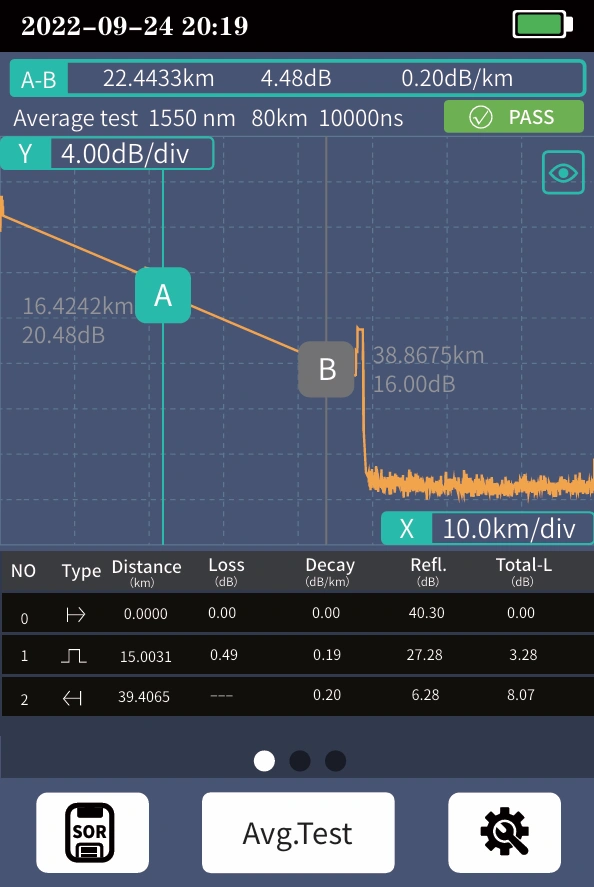
List: the tested results are displayed in the form of a list.
A-B Total length: the total length of the link under test.
A-B Total loss: the total loss of the link under test.
A-B Slope: the loss per kilometer of the link under test.
In the event list:
NO.: the order of the current event.
Type: the type of the current event.
Distance: the location of the current event.
Loss: the loss of the current event.
Decay: the loss from the starting point to the current
event.
Reflection: the return loss of the current event.
Total loss: the loss from the starting point to the current
event.
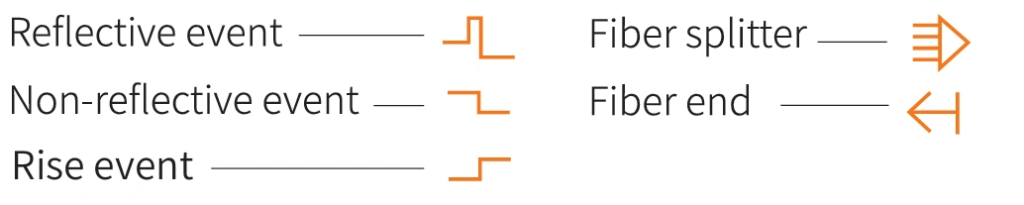
There are five types of events:
OTDR Setting
Setting parametes
wavelength, select the test unit and
sampling mode
Test units include km, mi and kft
There are three measurement modes:
fast, conventional and high-precision
Analysis parameter/threshold
setting
Set the reflection threshold, non
reflection threshold and end
threshold required for event
analysis
Event loss threshold: set the loss
threshold of connection point, fusion
point or macro bend in the link that
can be tested, between 0.2~30dB, and
the default value is 0.2dB. Events
larger than the set threshold will be
listed in the event table, or those will
be ignored.
Reflection threshold: set the return loss threshold of the
link reflection events that can be tested, ranging from
10dB to 60dB, and 40dB by default.
End threshold: set end loss at the end of the link that can
be tested, ranging from 1~30dB, 10dB by default.Reflection threshold: set the return loss threshold of the
link reflection events that can be tested, ranging from
10dB to 60dB, and 40dB by default.
End threshold: set end loss at the end of the link that can
be tested, ranging from 1~30dB, 10dB by default.