
Home/Blog/OTDR 8000MAX/The method to solve 8000MAX OTDR Bug – Application OTDR.exe encountered a serious error and must shut down.

The method to solve 8000MAX OTDR Bug – Application OTDR.exe encountered a serious error and must shut down.

We have a problem with one of your OTDR, it keeps turning off, picture below. Please advice urgently what we can do.
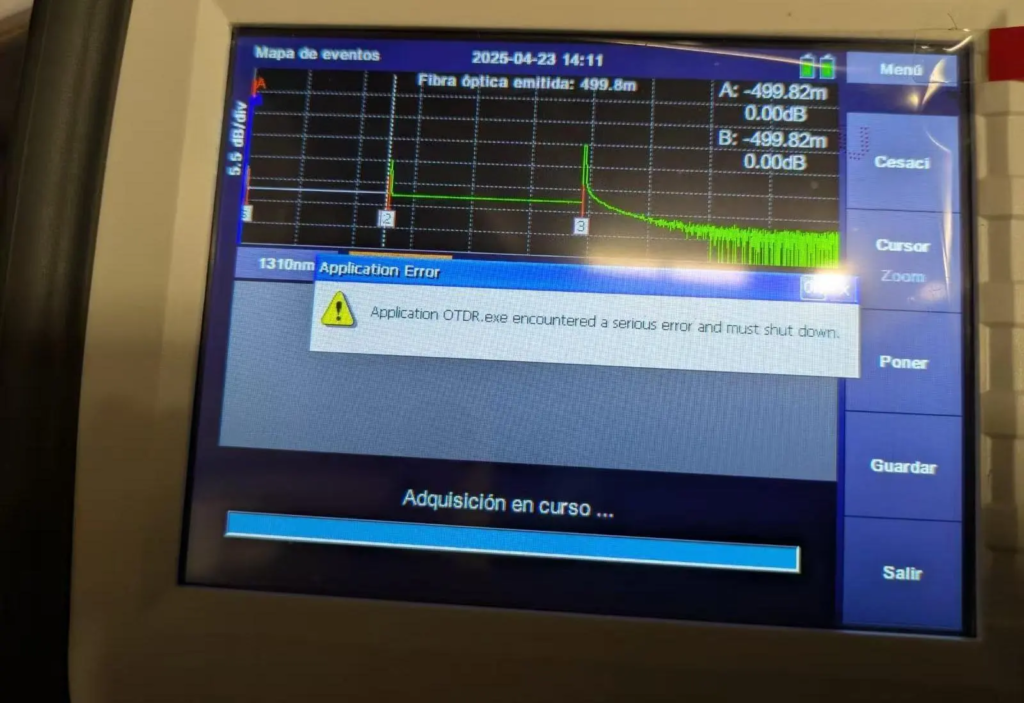
8000MAX OTDR application error software update

This is a OTDR software bug, and the buy should be only with old OTDRs (manufactured date before Jan 2025).
Download upgrade package here and follow these steps to upgrade your OTDR to solve the bug.

Step 1.  
Prepare a FAT32 USB flash disk.

Step 2.  
Put the upgrade file into the USB flash disk. Be careful not to rename the file.

Step 3.  
Insert the USB flash disk into the USB port of OTDR and wait for the USB icon to appear in the OTDR status bar.

Step 4.  
Enter the system setting interface of OTDR and click the “upgrade” button.
Then, the screen will display the software upgrade interface, and the upgrade operation will be completed after the software is automatically restarted.

Eric Yang

Eric Yang — Senior Technical Support Engineer

Eric specializes in PON network testing, OTDR diagnostics, and optical fiber monitoring solutions at FirstFiber Technologies.
✉️ Email: tech@firstfibertech.com

Connect on LinkedIn

Leave a comment

Your Quote List
×
    Request a Demo
    ×

    We'll reach out shortly regarding:

    We value your privacy
    We use cookies and third-party services (such as live chat and video hosting) to enhance your browsing experience. You can choose to accept or decline these non-essential technologies.