Description
8000MAX High Accurate OTDR
OPTIMIZED FOR FTTx/MDU FIBER DEPLOYMENTS
AND TROUBLESHOOTING, SUITABLE FOR METRO
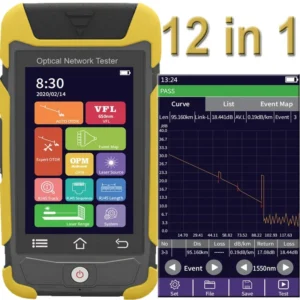
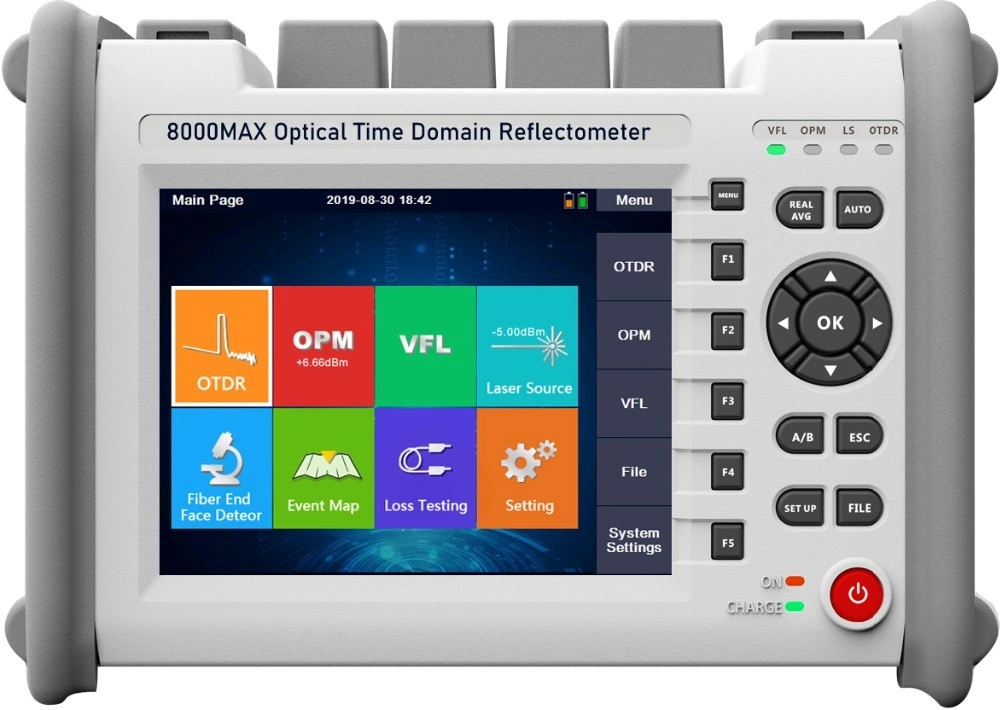
The 8000MAX series is handy, lightweight and rugged enough for any outside plant environment. With a 5.6-inch, outdoor-enhanced touchscreen–the most efficient handheld display in the industry–it delivers an unprecedented user experience. Its intuitive concise GUI ensures a fast learning curve. Plus, its new and improved environment offers icon-based functions, instant boot-up, as well as improved auto and real-time modes.
The 8000MAX series is a line of genuine high-performance OTDRs from the world’s leading manufacturer. It delivers FirstFiber’s tried and true OTDR quality and accuracy along with the best optical performance for right-firsttime results, every time. The amazing 8-hour battery life will never let a technician down, and the plug-and-play hardware options like fiber inspection probe and USB tools, make every technician’s job easier.
Most importantly, the 8000MAX series is finally bringing the Event Map, an intelligent OTDR-based application, to the handheld market. This advanced software turns even the most complex trace analysis into a simple, one-touch task.
Popular Models:
| Model# | Testing Wavelength | Dynamic Range | Event/ Attenuation Dead Zone |
| 8000MAX-S1 | 1310/1550nm | 32/30dB | 0.8/4 |
| 8000MAX-S2 | 1310/1550nm | 35/33dB | 0.8/4m |
| 8000MAX-T2 | 1310/1550/1625nm | 35/33/32dB | 0.8/4m |
| 8000MAX-T3 | 1310/1550/1650nm | 35/33/32dB | 0.8/4m |
| 8000MAX-M1 | 850/1300nm | 20/26dB | 1.2/5m |
| 8000MAX-Q1 | 1310/1550/850/1300nm | 28/26/20/26dB | 0.8/4m, 1.2m/5m |
| 8000MAX-Q2 | 1310/1550/850/1300nm | 35/32/20/26dB | 0.8/4m, 1.2m/5m |
| 8000MAX-Q3 | 1310/1550/850/1300nm | 37/36/20/26dB | 0.8/4m, 1.2m/5m |
| 8000MAX-10G1 | 1310/1550/1270/1577/1625nm | 37/35/35/35/35dB | 0.8/4m, 1.2m/5m |
| 8000MAX-10G2 | 1310/1550/1270/1577/1650nm | 37/35/35/35/35dB | 0.8/4m, 1.2m/5m |
| 8000MAX-10G3 | 1310/1550/1577nm | 35/33/33dB | 0.8/4m |
Note: please download catalogue to see all optional models. We also can customize OTDR for you per your request.
Model 8000MAX-10G is for GPON, XGPON, XGSPON fiber network test.
BUY ONE, GET ALL
– OTDR (Auto)
– OTDR (Manual | Average)
– OTDR (Real Time)
– Event Map
– Optical Power Meter (OPM)
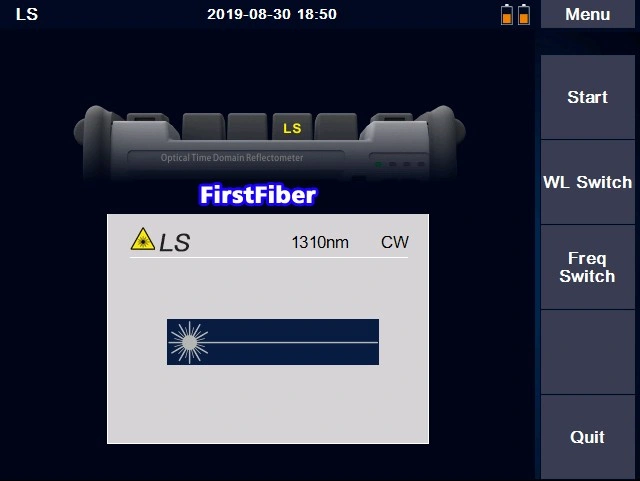
– Optical Light Source (OLS)
– Loss Testing
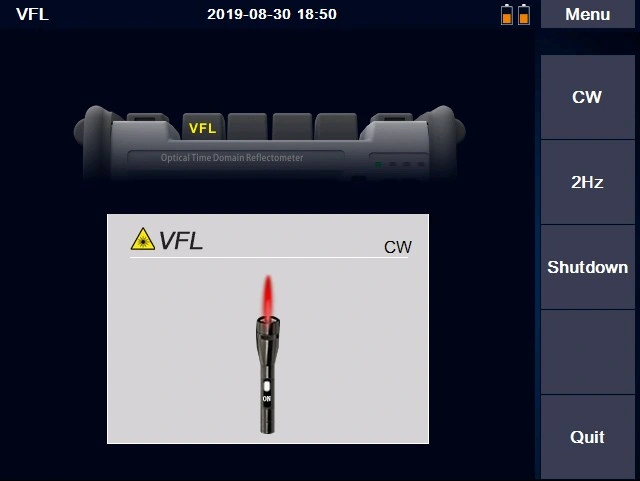
– Visual Fault Locator (VFL)
– Fiber End Face Detector
– Result Format Sor & PDF
New Features
– Launch Cable & Receive Cable Applicable, and Deduction Allowed from Trace
– Two Wavelengths to Process Testing Tasks Simultaneously
– Service Light Detecting and Start Protection
The Menu Language
– English
– Spanish
– Russian
– Korean
– French
– Portugal
– Italian
– Hebrew
The Kit Includes
– OTDR
– FC/SC Connector
– User Manual,
– Touch Pen
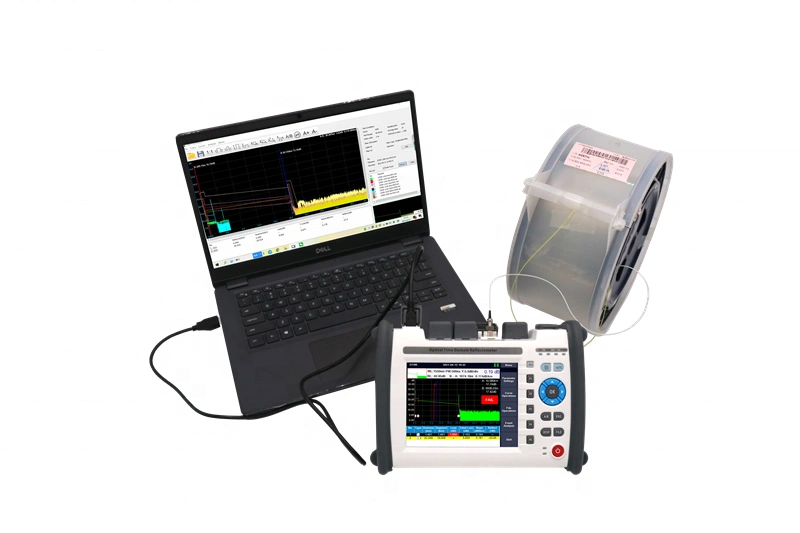
– OTDRviewer Software
– Power Charging Adapter,
– Carrying Bag
– Certificate of Calibrate
Specification
| General | |
| Size/Weight | 21x155x68mm 1.1kg (Battery included) |
| Display | 5.6 inch touch-sensitive TFT-LCD Screen, Resolution 640×480 |
| Interface | 1xUSB, 1xmini USB, 2xOTDR port, 1xVFL port, 1xPower Meter Port, 1xCharging Port |
| Power Supply | 10V(dc), 100V(ac) to 240V(ac), 50~60Hz 7.4V/2500mAh x 2 lithium battery (with air traffic certification) |
| Battery | Operating Time: 8 hours, charging time: <3 hours |
| Power Saving | Back light: Common/Highligh/Power saving/Customized Auto power off: Never/1min/5min/10min/30min/60min |
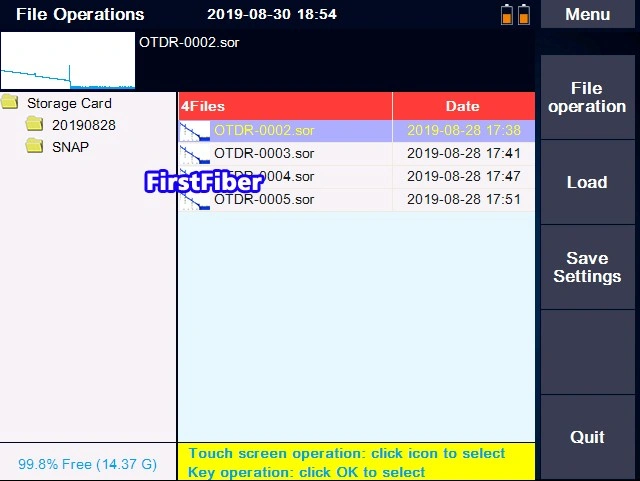
| Data Storage | Internal memory: 16GB (about 100,000 curves) |
| Language | English, Spanish, French, Korean, Italian, Russian, Portugal, Hebrew |
| Operating temperature and humidity | -10℃~+50℃, ≤95% (non-condensation) |
| Storage temperature and humidity | -20℃~+75℃, ≤95% (non-condensation) |
| OTDR Module | |
| Wavelength | 850±20nm/1300±20nm/1310±20nm/1550±20nm/1625±20nm/1650±20nm |
| Dynamic Range | up to 45dB |
| Dead Zone | Attenuation Dead Zone: 4m, Event Dead Zone: 0.8m |
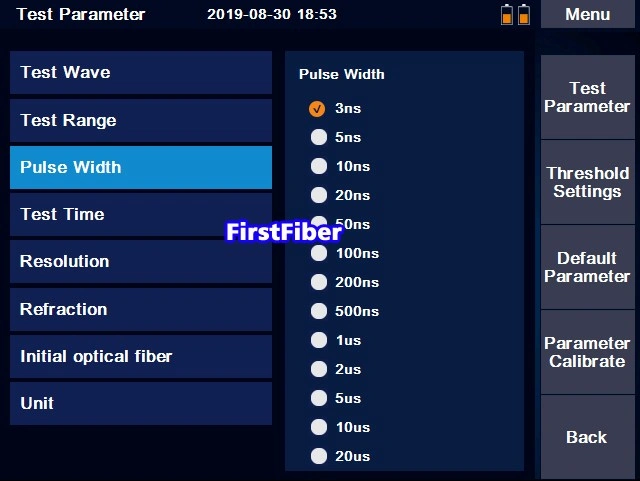
| Pulse Width | 3ns, 5ns, 10ns, 20ns, 50ns, 100ns, 200ns, 500ns, 1μs, 2μs, 5μs, 10μs, 20μs |
| Distance Range | 100m, 500m,2km, 5km, 10km, 20km, 40km, 80km, 120km, 200km, 250km |
| Sampling Resolution | Minimum 5cm |
| Sampling Point | Maximum 256,000 points |
| Linearity | ≤0.05dB/dB |
| Averaging Time | 10s, 15s, 30s, Real Time, Customized |
| Scale Indication | X axis: 4~70m/div, Y axis: 0.09~5dB/div |
| Distance Accuracy | ±(1m+measuring distance×3×10^-5+sampling resolution) ( excluding IOR uncertainty) |
| Loss Threshold | 0.01dB |
| Loss Resolution | 0.001dB |
| Distance Resolution | 0.01m |
| IOR Setting | 1.2000~1.5999, 0.0001 step |
| Units | km, miles, kfeet |
| OTDR Trace Format | SOR and PDF |
| VFL Module | |
| Wavelength | 650nm±15 |
| Output Power | 10mw, CLASSIII B |
| Range | 12km |
| Mode | CW/2Hz |
| OPM Module | |
| Wavelength | 850/1300/1310/1490/1550/1625/1650nm |
| Test Range | -50~+ 25dBm |
| Resolution | 0.01 |
| Accuracy | ±0.35dB±1nW |
| Modulation | 270/1k/2k Hz, Pi≥-40dBm |
| OLS Module | |
| Wavelength | Same as OTDR Wavelengths |
| Output Power | -5dBm±1dB |
| Output mode | CW/270/1k/2k Hz |
Download
Certificates
| Certification Name | Certificate Number | Issuing Authority |
| FCC | ENS2505030001E01001C | EMTEK |
| CE EMC | ENS2505030001E00901C | EMTEK |
| RoHS | EGZ2505030001C00503R | EMTEK |
| CE LVD | HTT190304031L | HTT |
| CE EMC | HTT190304031E | HTT |
| ISO9001 | Q86160662482 | INNOVER |
| PPWR | SHAEC26027144701 | SGS |
Calibration Data (Third party)
Output Optical Center Wavelength
| Nominal Wavelength (nm) | Measured Center Wavelength (nm) | Uncertainty |
| 1310 | 1308.3 | U=0.2nm (k=2) |
| 1550 | 1552.7 | U=0.2nm (k=2) |
Distance Deviation
Wavelength = 1310nm; Group Refractive Index = 1.4600; Distance Range = 5km; Pulse Width = 100ns
| Standard Value (km) | Indicated Value (km) | Distance Deviation (km) | Uncertainty |
| 2.28431 | 2.28438 | 0.00007 | U=0.10m(k=2) |
Wavelength = 1550nm; Group Refractive Index = 1.4600; Distance Range = 5km; Pulse Width = 100ns
| Standard Value (km) | Indicated Value (km) | Distance Deviation (km) | Uncertainty |
| 2.28532 | 2.28540 | 0.00008 | U=0.09m(k=2) |
Loss Scale Factor
Wavelength = 1310nm; Group Refractive Index = 1.4600; Distance Range = 20km; Pulse Width = 1000ns; Standard Loss Value = 0.325dB/km
| Power Level (dB) | Indicated Value (dB/km) | Loss Scale Factor (dB/dB) | Uncertainty |
| 0.0 | 0.321 | 0.988 | Urel=0.057dB/dB (k=2) |
| 1.5 | 0.321 | 0.988 | Urel=0.057dB/dB (k=2) |
| 3.0 | 0.321 | 0.988 | Urel=0.057dB/dB (k=2) |
| 4.5 | 0.321 | 0.988 | Urel=0.057dB/dB (k=2) |
Wavelength = 1550nm; Group Refractive Index = 1.4600; Distance Range = 20km; Pulse Width = 1000ns; Standard Loss Value = 0.192dB/km
| Power Level (dB) | Indicated Value (dB/km) | Loss Scale Factor (dB/dB) | Uncertainty |
| 0.0 | 0.180 | 0.938 | Urel=0.059dB/dB (k=2) |
| 1.5 | 0.180 | 0.938 | Urel=0.059dB/dB (k=2) |
| 3.0 | 0.181 | 0.943 | Urel=0.059dB/dB (k=2) |
| 4.5 | 0.181 | 0.943 | Urel=0.059dB/dB (k=2) |
Conclusion
Precision Guaranteed – Strict calibration with 95% confidence level (k=2) for zero-worry fiber testing.
Customization
FirstFiber Technologies offers two types of customization services for you to choose from, Light Customization and Deep Customization. You can refer to the details here.
If you would like a Light Customization based on the 8000MAX OTDR, please provide requirements according to the instructions below. If you prefer a Deep Customization, please contact our sales team to discuss the details.
| Instructions | |
| Model Number | Max 8 characters, no special characters allowed. |
| Logo | High Resolution. (.jpg, .bmp, .psd, .cdr, etc) |
| Boot Screen | 800×480 px, format .bmp, and color depth 16-bit |
| Language | Please contact sales to request the English version of the field list. |
Light customization (Model, LOGO, and Language) are 100% FREE OF CHARGE, but MoQ
Packaging & Shipping
Standard Packaging
| Model | Qty/Carton | Net Weight | Gross Weight | Size |
| 8000MAX | 6 | 15 KG | 19 KG | 47.5×34.5×52.5cm |
Non-Standard Packaging
| Model | Qty/Carton | Net Weight | Gross Weight | Size |
| 8000MAX | 1 | 2.5 KG | 3 KG | 26x20x16cm |
At FirstFiber Technologies, all test instruments are dispatched via DHL Air Express, reaching global destinations within 3 to 7 days. Please note that the downloadable shipping price list is for reference only. For precise shipping costs, please refer to the final quote provided by your sales representative.
FAQ
Q: We’re trying to amend the 1310db Pass / Fail threshold to 0.800dB/km but we’re unable to save the change. (See attached video). Are we doing something wrong, do we need to change some settings?
A: This issue typically occurs because the software lacks the necessary write permissions on your system. To resolve this, please try one of the following solutions,
Change the Installation Drive – Reinstall the software on a different local drive (such as your D: or E: drive). The primary C: drive often has stricter Windows security restrictions that can prevent the software from saving new settings.
Run as Administrator – Right-click the software icon and select “Run as administrator” before attempting to save your changes.
Q: We measured the optical path and the PASS result was shown on the device. But as soon as we open the result in the program on the PC and printed it, Fail. How to solve the problem?
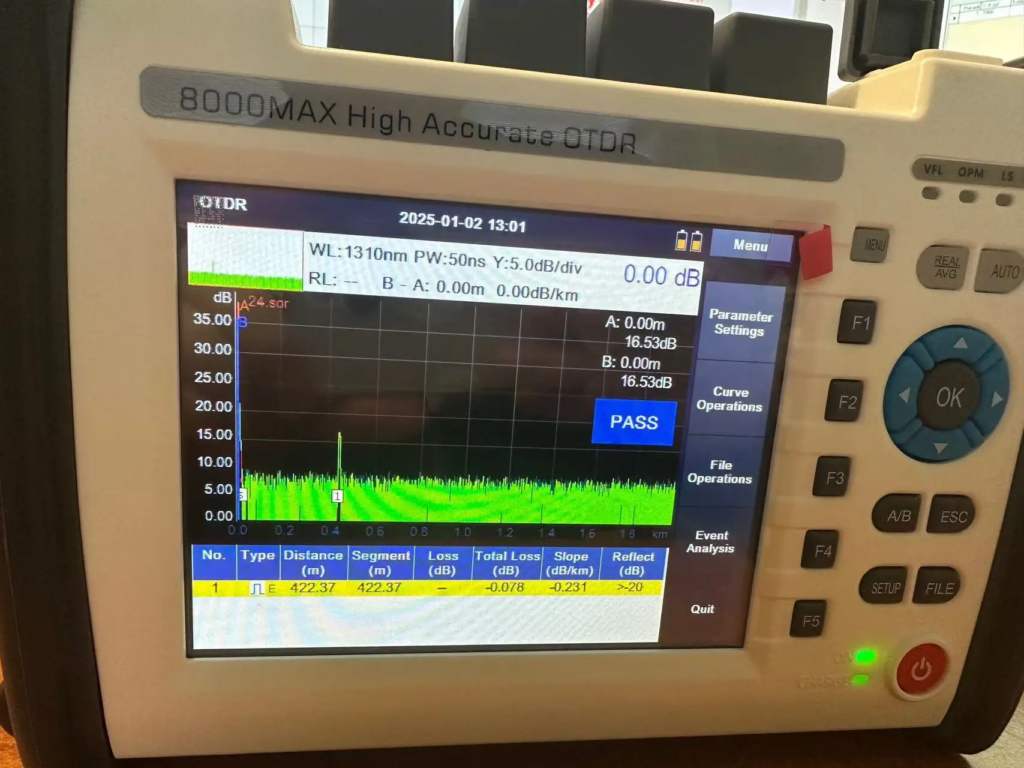
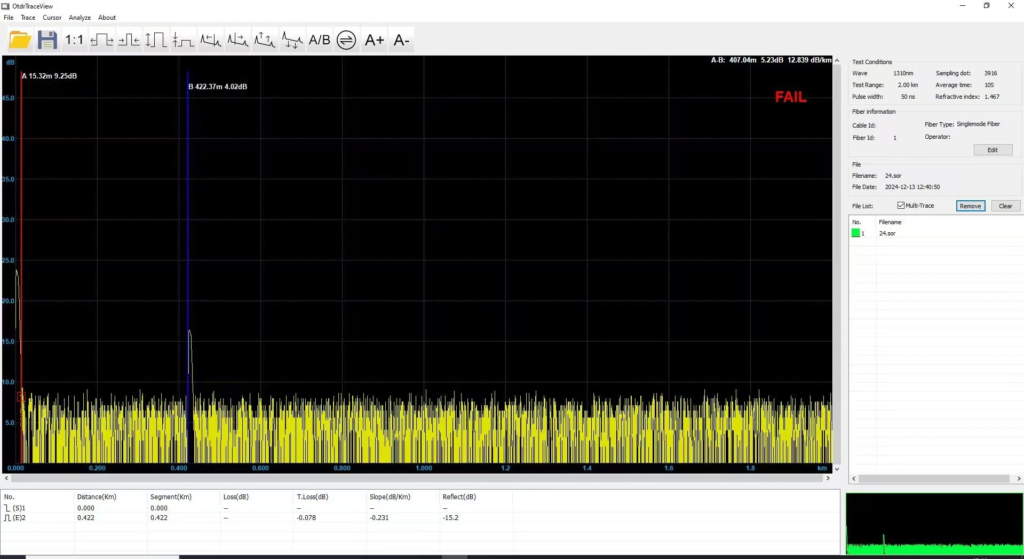
A: This is because that parameter in OTDR is not same with parameter in PC software. Please change analysis parameters in PC same as OTDR.
Q: A customer complains During generatiing of PDF File with test results marker A is visible on PDF File but marker B isn’t visible on page. It seems like there is a problem with scaling of results during export to PDF files. During test where 2 files are created SOR and PDF in SOR file results are looking good. It’s only problem with export to PDF. Could you please check this out and send newest firmware if You had such problem earlier?
A: This is a softwere bug. Please upgrade your OTDR by the following steps to fix the bug.
Step 1. Prepare a FAT32 USB flash disk.
Step 2. Put the upgrade file into the USB flash disk. Be careful not to rename the file.
Step 3. Insert the USB flash disk into the USB port of OTDR and wait for the USB icon to appear in the OTDR status bar.
Step 4. Enter the system setting interface of OTDR and click the “upgrade” button.
Then, the screen will display the software upgrade interface, and the upgrade operation will be completed after the software is automatically restarted.
Step 5. Finished.
Note: the upgrade file is for 8000MAX OTDRs that were pre-installed PDF generater. We strongly suggest you send us your OTDR series number to check if your OTDR can be upgraded or not before you upgrade your OTDR. You can contact our tech support by email tech@FirstFiberTech.com